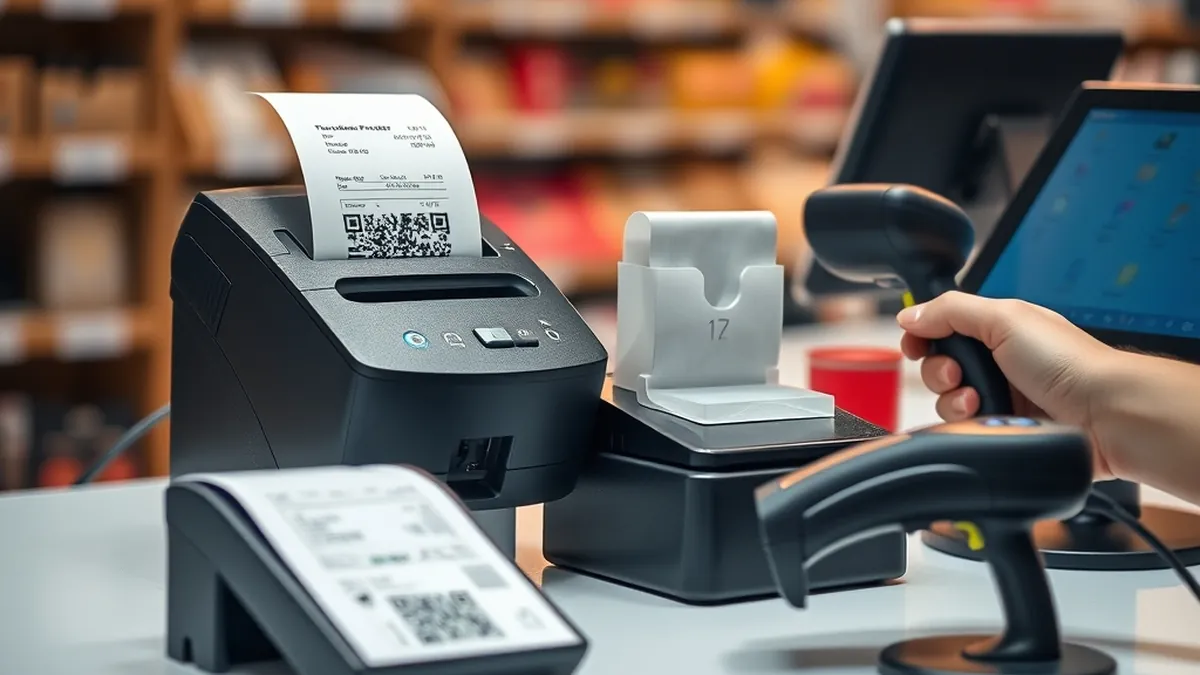
FBR POS Setup for Shops in Pakistan: Choosing a Receipt Printer & Barcode Scanner (2026 Guide)
Many shopkeepers still think FBR POS integration is only for big brands in malls. It isn't. Under the Sales Tax Act, you become a Tier-1 retailer if you meet any one of several tests. You are one if you are part of a chain, sit in an air-conditioned mall or plaza, have paid more than Rs 1.2 million in electricity over the last 12 months, are a wholesaler-cum-retailer, or simply have a card machine for debit or credit payments.
Once you are Tier-1, your POS software must report every sale to FBR in real time. Each invoice must carry an FBR invoice number and a verifiable QR code. Not integrating risks heavy fines, the loss of input tax claims and even sealing of the shop.
The software side is handled by your POS provider or a licensed integrator. The hardware at the counter is your choice, and buying the wrong printer is the most common reason an FBR setup gives trouble. Here is what actually works.
The basic FBR POS counter
- A PC, laptop or Android POS running FBR-integrated software
- A thermal receipt printer that prints the FBR QR code sharply
- A barcode scanner for fast, error-free billing
- Optional: a cash drawer, a label printer for your own barcodes, and a UPS
Choosing a receipt printer
80 mm vs 58 mm
An 80 mm roll fits about 48 characters a line, while 58 mm fits only 32. The FBR invoice number, QR code, item lines, tax and your NTN all need space. That is why 80 mm is the safe choice for any fixed counter. Keep 58 mm for mobile billing, deliveries and small kiosks.
What to look for
- 203 dpi direct thermal: enough for a QR code that a phone can scan.
- Auto-cutter: a must for busy counters.
- USB + LAN: LAN lets several billing PCs or a kitchen share one printer.
- ESC/POS support: the standard most Pakistani POS software speaks, so you get fast printing and cash drawer kick.
- Urdu printing: most software prints Urdu as an image, so print speed matters more than you think.
Our picks
Budget 80 mm: the Speed-X SP-210UL offers USB + LAN at an entry price and suits small shops and pharmacies. The Black Copper Turbo BC-85AC is a popular choice for general retail counters.
High volume: the POSx 891 prints at 250 mm/s with a guillotine cutter rated for 1.5 million cuts, which makes it ideal for restaurants and busy marts. The Epson thermal receipt printer prints at up to 200 mm/s at 203 dpi with an auto-cutter and comes with Epson's reliability.
Wireless and mobile: the Speed-X SP-90A connects over Bluetooth, Wi-Fi and USB. For billing on the go, the 58 mm Speed-X BT450M portable printer pairs with an Android phone or tablet.
Receipts and labels in one: the Speed-X SP-650UL prints both 3-inch receipts and barcode labels. It is handy for small shops that also print their own price stickers.
Choosing a barcode scanner
1D or 2D?
A 1D (laser or linear) scanner reads normal product barcodes only. A 2D scanner also reads QR codes, including codes on phone screens and FBR invoice QR codes. Prices are now close, so buy 2D unless budget is very tight.
Handheld, desktop or wireless?
- Handheld: the standard for grocery and general stores. The Speed-X 8600 2D and Black Copper BC-1110QR are affordable 2D options.
- Desktop (presentation): the customer or cashier just waves the item, so it is hands-free and fast. The Speed-X SP-9260 2D desktop is good for pharmacies and cafés.
- Wireless: for scanning heavy items or stock-taking away from the counter. The Speed-X 8700 2D wireless has about 30 m range, a 2,000 mAh battery and a stand, and it can store scans for inventory.
- Heavy-duty: for big marts and warehouses, the Zebra DS2208 reads damaged and poorly printed 1D/2D codes and is IP42 rated. The Honeywell HH490 is another solid 2D choice.
Almost all of these work as a USB keyboard, so they type the barcode into any POS software with no driver needed.
Common mistakes we see
- Buying a 58 mm printer for a main counter, then finding the FBR QR code and item names cramped or cut.
- Cheap paper rolls: thermal print fades and the QR becomes unscannable. Buy good-quality rolls.
- No UPS: a power cut during a sale can leave an invoice half-posted. Keep the PC, router and printer on a UPS.
- Picking hardware before the software: ask your POS provider which printers they have tested.
Frequently asked questions
Which receipt printer is FBR approved?
FBR integration is done by the POS software, not the printer. Any good 80 mm thermal printer that your software supports and that prints a sharp QR code will work.
Do I need a 2D scanner for FBR?
It is not required for billing, but a 2D scanner reads QR codes and future-proofs your counter, so we recommend it.
Can you supply a complete counter set?
Yes. We supply printers, scanners, cash drawers and rolls with a 12-month warranty on most items and cash on delivery across Pakistan. Message us on WhatsApp at 03209492059 for a bundle price.
Browse all receipt printers and barcode scanners.
Need help choosing the right product?